
Introduction to Strapi
Welcome to your Strapi-powered CMS! 🎉
This guide helps you get comfortable managing your site content with Andesphere’s customized Strapi setup. You’ll find written instructions, screenshots, and video walkthroughs to match your learning style.
Want a quick video tour? Watch below:
Look at the screenshot below to get an overview of the main components of Strapi:
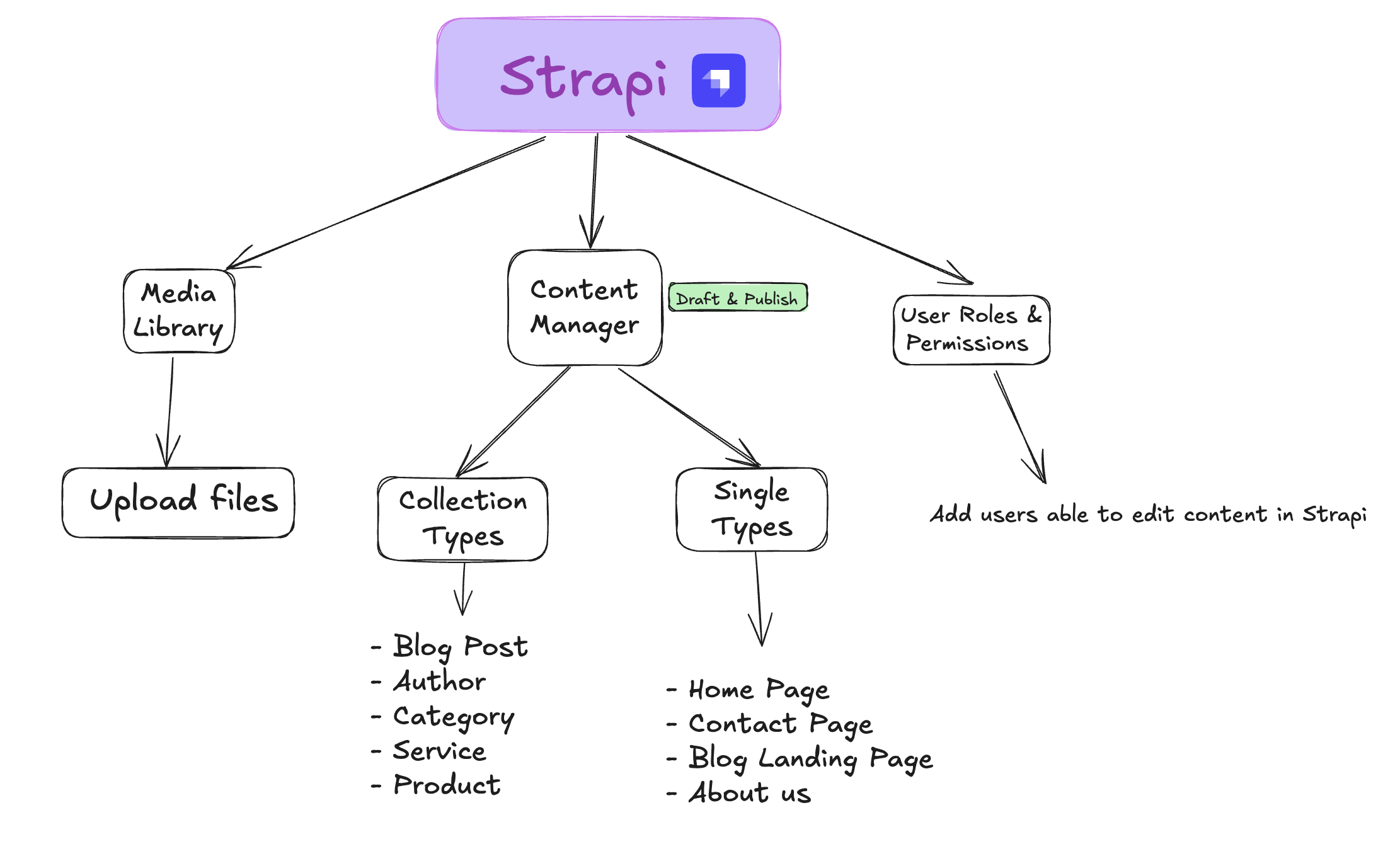
As part of our commitment to delivering high-quality digital solutions, Andesphere integrates Strapi as our preferred Content Management System (CMS) for projects that require robust content management capabilities. This guide will help you understand how to use Strapi to manage your website’s content effectively.
What is Strapi?
Strapi is the headless CMS we’ve chosen to power your content management needs. When we implement Strapi in your project, you get:
- A user-friendly interface to manage your website’s content
- Flexible content organization that adapts to your needs
- Support for all types of content (text, images, videos, etc.)
- Built-in multilingual capabilities
- Secure user access control
Why We Use Strapi
At Andesphere, we’ve chosen Strapi for several key reasons:
- Flexibility: It adapts perfectly to your specific content needs
- User-Friendly: Easy to use for content managers and administrators
- Scalability: Grows with your business needs
- Security: Enterprise-grade security features
- API-First: Seamlessly integrates with your other digital tools
Your Role in Content Management
As our client, you’ll primarily interact with Strapi’s Content Manager interface, where you can:
- Create and edit website content
- Manage media files
- Control content publication
- Handle multiple language versions
- Manage user access
Getting Started
To begin working with your Strapi installation:
- Log in to your dashboard
- Learn content management basics
- Understand media handling
- Work with multiple languages (if applicable)
Support and Assistance
While Strapi is intuitive to use, we’re here to help:
- This documentation provides detailed guides for common tasks
- Our support team is available to assist with any questions
- We provide training sessions when needed
- Technical issues are handled by our development team
Remember, you’re not alone in this journey - we’re here to ensure you get the most out of your content management system.